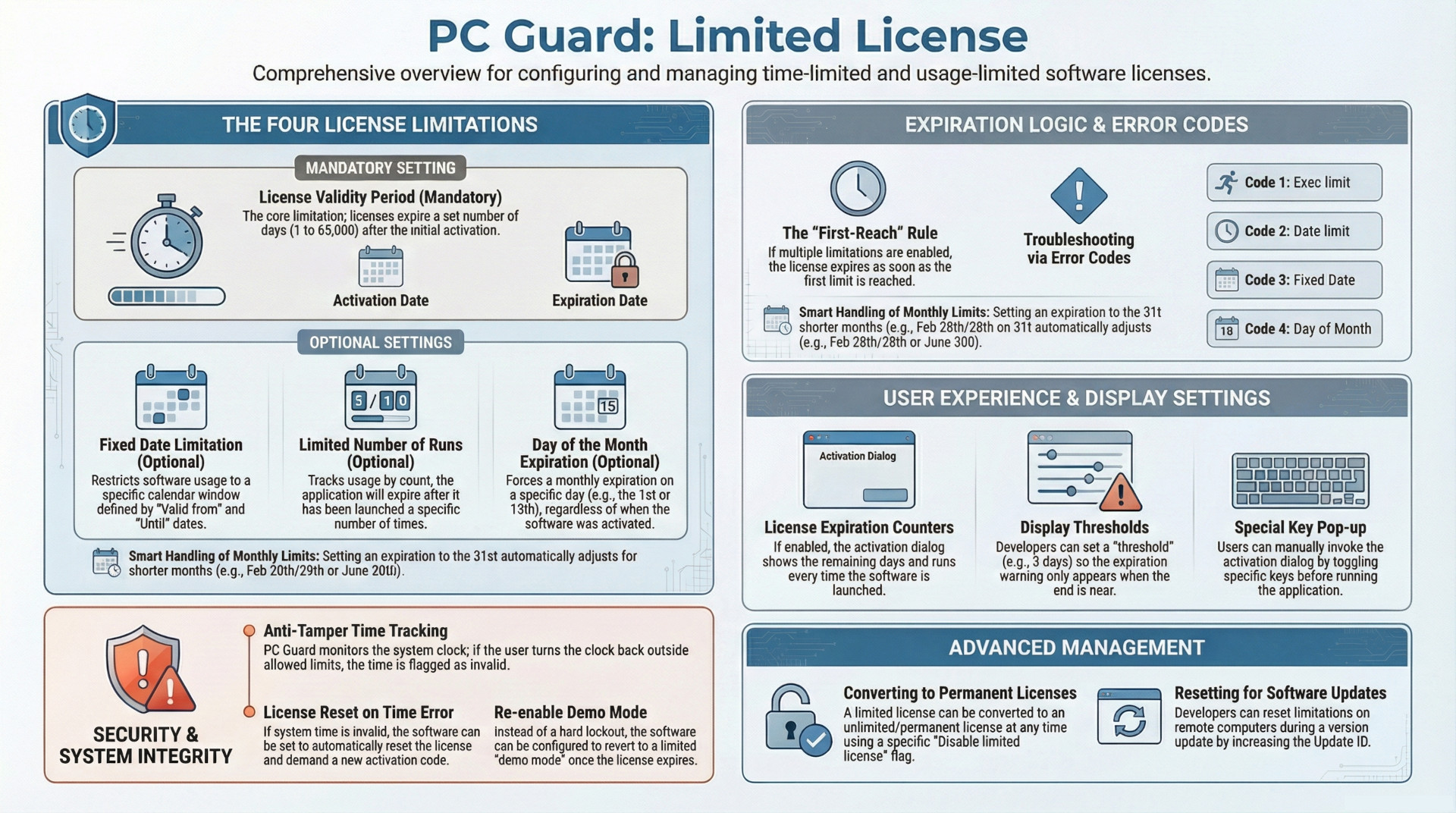
The SOFPRO limited license feature provides software developers with a robust framework for restricting application usage beyond the default permanent activation model. This functionality is essential for business models involving software leasing, renting, or periodic license renewals.
The system operates on four primary constraints: a mandatory validity period (measured in days), and three optional limitations (fixed dates, execution counts, and specific monthly expiration days). A license expires as soon as any one of the enabled thresholds is reached, at which point the application typically generates new identification codes (Site/MID) and requires a new activation code. Key security measures, such as system clock tracking, prevent users from circumventing these limits. Furthermore, developers can configure the end-user experience via expiration counters, demo mode reversion, and the ability to convert limited licenses into permanent ones.
Core Licensing Limitations
The "Limited license" feature, once enabled, allows for the configuration of four distinct limitations. While the license validity period is mandatory, the other three are optional and can be used in combination.
1. License Validity Period (Mandatory)
This is the baseline restriction for any limited license. It defines the number of days a license remains valid starting from the moment of activation.
- Range: 1 to 65,000 days.
- Behavior: The license will expire exactly after the specified number of days has elapsed.
2. Fixed Date Limitation (Optional)
This allows for a hard-coded validity window defined by specific calendar dates.
- Parameters: "Valid from" (start date) and "until" (expiration date).
- Constraint: The license is only valid within this predefined period.
3. Limited Number of Runs (Optional)
This tracks usage based on application execution rather than time.
- Mechanism: The application tracks the number of times it has been launched since activation.
- Constraint: The license expires once the maximum number of runs is reached.
4. Day of the Month Expiration (Optional)
This setting triggers a monthly expiration on a specific calendar day.
- Configuration Logic: If this is enabled, the default license validity period should be set to 31 days.
- Handling Short Months:
- If set to 31, the license expires on the last day of any month (31st, 30th, or 28th/29th of February).
- If set to 30, it expires on the 30th, except in February, where it expires on the last day of that month.
- Activation Timing: The exact expiration is relative to the activation date. For example, if the expiration day is set to the 1st:
- Activating on the 1st of the current month results in ~30 days of validity.
- Activating on the 15th of the current month results in ~15 days of validity.
Expiration Mechanics and Error Handling
When a limited license reaches its threshold, the application changes its state to prevent further unauthorized use.
Expiration Behavior
By default, once a limit is reached, the application will:
- Generate different Site/MID codes.
- Require a new and unique activation code to resume full functionality.
- Alternatively, if the "Re-enable demo mode after license expiration" option is enabled, the software will revert to its original demo state with pre-defined demo limitations.
Error Codes
In the event of expiration, the language editor can be used to customize messages. The system provides specific error codes to identify which limitation was triggered:
| Code | Limitation Triggered |
| 1 | Execution (Run) limitation reached |
| 2 | Date limitation reached |
| 3 | Fixed date limitation reached |
| 4 | Day of the month limitation reached |
Security and System Integrity
To prevent users from bypassing time-based restrictions by modifying their hardware clock, the protection code actively tracks the system date and time.
- Invalid System Time: If the system clock is set back outside of the "Allowed system time adjustments period," the time is flagged as invalid.
- Response Options:
- Reset License: If enabled, the application resets the license entirely, displays an error (
Demo_SystemTime_Error), and demands a new activation code. - Warning Only: If the reset option is disabled, the application displays a warning and exits, remaining inaccessible until the user corrects the system time.
- Reset License: If enabled, the application resets the license entirely, displays an error (
User Interface and Experience
Developers can manage how end-users are notified of their license status through several display settings.
- License Expiration Counter: When enabled, an activation dialog appears on every run, showing the remaining days and runs.
- Displaying Threshold: Developers can set a "threshold" (in days) so that the expiration counter only begins appearing a specific number of days before the license is set to expire. A value of "0" displays the counter on every run.
- Special Key Pop-up: This allows users to manually invoke the activation dialog by toggling special keys before running the application. If this is enabled, the displaying threshold value is ignored.
Administrative and Maintenance Features
The licensing system provides flexibility for converting license types and managing software updates.
- Conversion to Permanent License: A limited license can be upgraded to an unlimited (permanent) license at any time. This is achieved by providing an activation code with the "Disable limited license" special flag enabled.
- Reset for Updates: Developers can reset limited license constraints when deploying a new version of the software. This requires the "Reset limited license for this update" option to be enabled and the Update ID to be increased for the new release.