Administrators can manually generate new web licenses or filter existing records by status, period, product, serial number, client ID, and reactivation requests.

Add new web license
By default, web licenses are added to ACEN database by protected applications.
1. Click on Add button.
2. New web license control will be displayed:
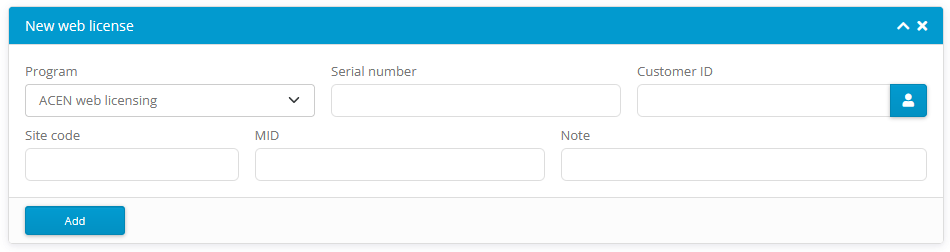
3. Select Program and set Serial number, Site code, MID code. Note and Customer ID values are optional.
4. Click on Add button to add new web license.
Filter web licenses
Web licenses can be filtered by:
1. Status (active, removed, all)
2. Period (this month, last month, today, yesterday, last 7 days....)
3. Product
4. Serial number
5. Client ID
6. Reactivation request
- Click on Filter button to filter results in web licenses grid.